R4 dental software: the practical guide for UK dental teams
How R4 works, how to chart in it, and where to get help, written for the dental nurses, receptionists and locums who use it every day.
R4, now sold as R4+, is Carestream Dental's practice management system, and it runs the front desk and surgery of a large share of UK dental practices. If you're starting at a new practice, there's a good chance you'll be logging into R4 on day one.
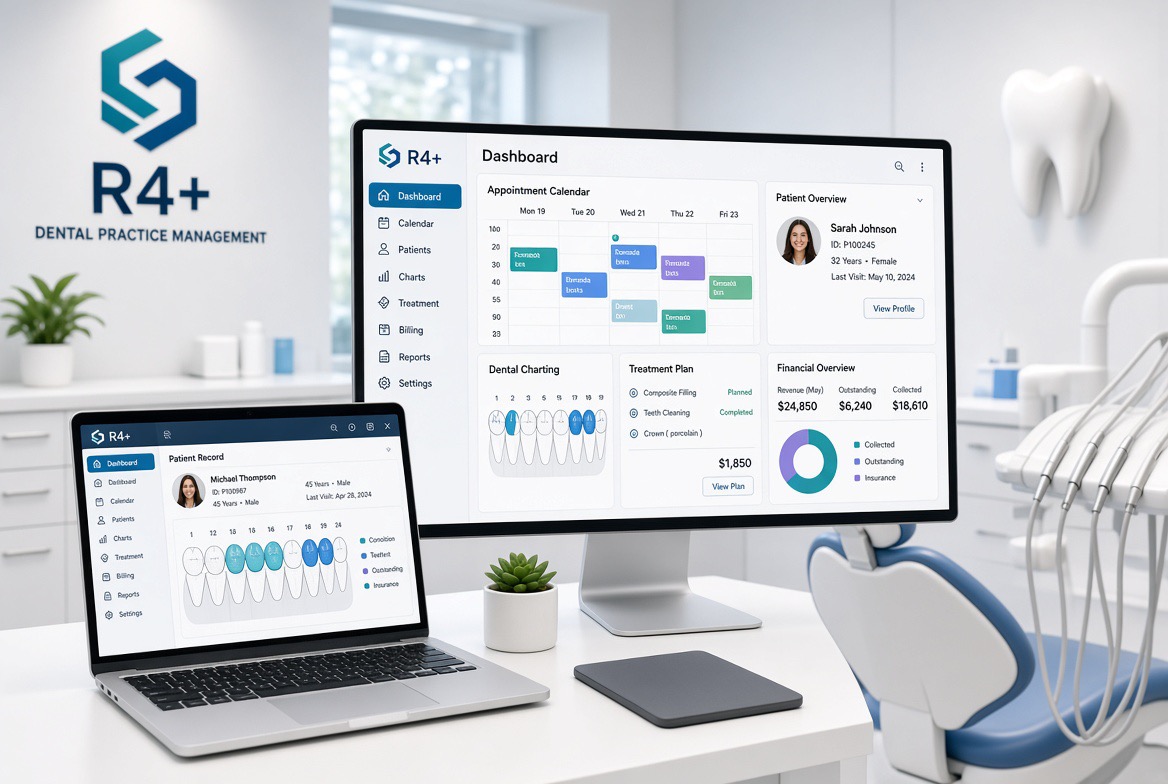
Carestream describes R4+ as a system built to make running a practice easier for every member of staff. It covers patient records, the appointment book, clinical and perio charting, imaging links, financial reporting and patient communications.
At Dental Recruit Network we place locum and permanent dental staff across the UK, and “Do you know R4?” is one of the first questions practices ask us. Knowing it well makes you easier to place and quicker to settle in.
Kodak R4 dental software: same system, new name
If you've heard people call it “Kodak R4”, they mean the same software. R4 was sold under the Kodak Dental Systems name before Kodak's health imaging business was sold in 2007 and became Carestream. Many long-serving dental nurses still call it Kodak R4, and older screens and manuals may carry the Kodak logo.
The product has since been branded CS R4 and R4+, with versions such as R4 Clinical+. The core workflow of patient record, appointment book and chart has stayed broadly the same, so experience on an older Kodak-branded version still transfers.
Carestream develops both practice management software and digital imaging equipment, so R4 links closely with Carestream's own X-ray and scanning kit. It also connects to many third-party imaging systems.
Key features of R4 dental software
R4 brings every part of the patient journey into one system. These are the modules you'll use most.
| Module | What it does | Used most by |
|---|---|---|
| Patient record | What you need to know about a patient at a glance, in the chair or on the phone | Everyone |
| Appointment book | Daily view of each clinician's diary; book around patient and practitioner preferences | Reception, nurses |
| Clinical charting | Tooth and restoration status, baseline charts and treatment plans, including alternatives | Dentists, nurses |
| Perio charting | Graphical periodontal measurements | Hygienists, therapists |
| Imaging links | Connects to Carestream and many third-party X-ray and imaging systems | Clinicians |
| Patient communications | Automated recalls and reminders by SMS, email or letter, with a record of what was sent | Reception |
| Financial reporting | Cash-flow and practice reports, exported to Excel | Practice managers |
| Springboard | Live KPIs: chair occupancy, treatment plan uptake, confirmations, recall effectiveness | Managers, owners |
Add-ons include online booking, e-signatures and instrument tracking. R4 also works with Microsoft Office: Word for letter templates and Excel for reports.
How to use R4 dental software: a first-day guide
Most people get comfortable with R4 within a few sessions. Every practice configures it slightly differently, so learn the core flow first, then ask how this practice has set things up.
- Log in with your own accountNever use a colleague's login. R4 records who made each entry, and clinical notes must be attributable to you.
- Set your start-up preferencesCarestream's own help recommends configuring these first, so the screens you need open straight away.
- Find the patientSearch by surname, date of birth or patient number. The patient record is the hub; everything else opens from it.
- Check the medical historyConfirm it's up to date before the patient sits down. Many practices capture it on a tablet with e-signatures.
- Learn the appointment bookGet to know the colour codes for appointment types and statuses: arrived, in surgery, completed, failed to attend. These are set per practice.
- Chart and note as you goThe dentist calls, you chart. Clinical notes usually come from practice templates, so ask which ones they use.
- Complete the appointmentMark treatment complete, book the next visit and set the recall before the patient leaves the surgery.
Locum tip: at a new practice, ask for five minutes on their appointment colour codes, note templates and how they book recalls. That covers most of the differences between R4 sites.
R4 dental software charting explained
Charting is where R4 earns its reputation. The charting module gives a graphical, interactive view of each patient's mouth and tracks how it changes over time. A patient's chart has five sections.
| Chart section | What it records | Practical tip |
|---|---|---|
| Baseline | The current state of every tooth and existing restoration | Chart this fully at a new patient exam; everything builds on it |
| Plan | Proposed treatment, including alternative plans | Costs flow from here, so chart accurately |
| Clinical Notes | The written record of each visit | Use practice templates, then add anything patient-specific |
| Perio Chart | Pocket depths, bleeding and other periodontal readings, shown graphically | Hygienists rely on it to compare visits |
| Soft Tissue Chart | Findings for soft tissues outside the teeth | Record nil findings too, not just abnormalities |
How baseline and plan work together
As treatment is completed, it moves from the plan onto the baseline, so the chart always reflects the patient's current mouth.
Common charting mistakes to avoid
- Charting on the wrong tooth because the chart view is set to the opposite orientation
- Adding treatment to the baseline when it should go on the plan
- Leaving completed items open, which skews treatment plan reports
- Notes that just say “as above” with no clinical detail
R4 review: strengths and limitations
R4 is a mature, dependable system that suits practices wanting deep clinical charting and strong imaging links. The trade-off is a traditional, desktop-first interface that takes longer to learn than newer cloud tools.
| Strengths | Limitations |
|---|---|
| Detailed clinical and perio charting, widely seen as a benchmark | Interface looks dated next to browser-based rivals |
| Close integration with Carestream imaging plus many third-party systems | Desktop-first; remote access depends on how it's hosted |
| Scales from single-surgery practices to large groups | Heavy customisation means each practice works a little differently |
| Springboard gives live practice performance data | Some features are paid add-ons |
| Long UK track record, so many experienced staff already know it | Steeper learning curve for new starters |
For clinicians, R4's charting is the main reason to choose it. For staff, R4 experience is one of the most transferable skills in UK dentistry.
Where to get R4 help
Carestream's official online help centre is the first place to look. It hosts online help for R4+ and Carestream's other products, with step-by-step guides on charting, appointments, reports and setup.
- R4+ Getting Started: an overview of the main features and first steps
- R4+ Charting: the baseline, plan, notes, perio and soft tissue charts
- Your practice's super-user: most practices have one person who knows the local setup best
- Carestream support: for licensing, errors or anything that needs the vendor
For a quick answer, search the help centre for the exact name of the screen or button you're looking at.
R4 dental software FAQs
Is Kodak R4 the same as Carestream R4?
Yes. R4 was sold under the Kodak Dental Systems name before the business became Carestream. The core system is the same.
How long does it take to learn R4?
Most dental nurses are confident with the basics within a few sessions. Charting fluency comes with daily use.
What's the difference between the baseline and plan in R4 charting?
The baseline records what's in the mouth now. The plan records proposed treatment, which moves onto the baseline once completed.
Does R4 do periodontal charting?
Yes. The Perio Chart records periodontal measurements and shows them graphically, so changes between visits are easy to see.
Where can I find R4 training and guides?
Carestream's online help centre has the official online help for R4+.
Should I put R4 on my CV?
Yes. Name the software and what you used it for, such as charting, booking or recalls. Practices often filter candidates by system experience.
Need R4-experienced dental staff?
Dental Recruit Network supplies locum and permanent dental nurses, hygienists, therapists and associates to practices across the UK. Tell us you run R4 and we'll match you with people who already know it, so they're productive from the first appointment.